Looking for advanced level PyQt6 tutorial showing Graphics handling

I’m looking to develop a Football Play design tool using PyQt6’s graphics capabilities. I want to be able to drag an image (wide receiver, tight end, running back etc.) on a canvas and while dragging the image I want a trace line showing the route dynamically. Once the route or routes are complete I want to be able to save the design to an image file for later use or further editing.

Pretty sure PyQt6 has the capabilities to do this but if I’m wrong please let me know. In the meantime I’ll be going through the Graphics and drag / drop tutorials again and relearning some PyQt6 as its been sometime since I played around with it.

Thanks in advance

Hi @weave

You’re right, Qt can handle this fine. The best way to approach it would be using QGraphicsView and the QGraphicsScene. You then construct custom QGraphicsItem objects to represent the things in the view. Using flags you can flag these as being moveable, and draggable. Then Qt just handles the positioning and mouse interaction for you.

For the line drawing, you’ll want to add a QGraphicsLineItem or a QGraphicsPathItem to the view to represent the line of the object. Line is for a single simple line from x1, y1 to x2, y2, while the second is a a more complex path.

One thing to be aware of, is if you add the line as a child of the other object (using setParentItem) its coordinates are relative to the parent object. If the lines are using absolute canvas coordinates, you might not want to do this. But you can still create the path/line object inside the __init__ of the other item, so each object has one line, and just not set the parent relationship.

Finally, to draw the line you need to listen to position changes of the item & use that to construct the path. This is done in the itemChange() function, which is called whenever the item is changed (among other things). You want to listen for ItemPositionChange. This is disabled by default, so you’ll need to set item.setFlags(QGraphicsItem.ItemSendsGeometryChanges) on your objects to enable it.

Then in the itemChange() function, you can listen to the new positions, and construct the path (in the case of path), or the x2,y2 value in case of line.

This is a lot and a very broad overview, but hopefully it gets you moving in the right direction.

As usual I very much appreciate your input Martin. Is there an example showing this so I can play around with it ?

Here’s a quick demo with a single object in a scene, which when dragged, draws a line after it. The line is deleted as each new drag begins, but you can change that of course.

The moveable objects (circles) own their own lines, so if you add 10 of these objects to the scene, they’ll can all have their own lines without conflicting.

import sys

from PyQt6.QtCore import QLineF, QRectF, Qt
from PyQt6.QtGui import QBrush, QPainter, QPen
from PyQt6.QtWidgets import (
    QApplication,
    QGraphicsEllipseItem,
    QGraphicsLineItem,
    QGraphicsScene,
    QGraphicsView,
)


class DraggableCircle(QGraphicsEllipseItem):
    def __init__(self, radius=20, *args, **kwargs):
        super().__init__(*args, **kwargs)
        # Draw the circle centered on (0, 0) in item coordinates, this
        # means we can avoid calculating this later on each drag.
        # If you're using a different shape, it should just be half the
        # widget.
        self.setRect(QRectF(-radius, -radius, radius * 2, radius * 2))

        # Make the item movable and selectable
        self.setFlags(
            QGraphicsEllipseItem.GraphicsItemFlag.ItemIsMovable
            | QGraphicsEllipseItem.GraphicsItemFlag.ItemIsSelectable
        )

        # Simple styling
        self.setBrush(QBrush(Qt.GlobalColor.yellow))
        self.setPen(QPen(Qt.GlobalColor.black, 2))

        # For tracking the drag line. We'll create the line when
        # we start the drag, and store the origin.
        self._line_item = None
        self._line_origin = None

    def mousePressEvent(self, event):
        if event.button() == Qt.MouseButton.LeftButton:
            # Remove any existing line from a previous drag
            if self._line_item is not None and self.scene() is not None:
                self.scene().removeItem(self._line_item)
                self._line_item = None

            # Store the origin of the drag in scene coordinates
            # We'll use the center of the circle at the moment the drag begins
            self._line_origin = self.sceneBoundingRect().center()

            # Create a new line starting and ending at the origin.
            if self.scene() is not None:
                line = QLineF(self._line_origin, self._line_origin)
                self._line_item = QGraphicsLineItem(line)
                # Put the line behind the circle
                self._line_item.setZValue(self.zValue() - 1)
                self.scene().addItem(self._line_item)

        # Let the base class handle the default behavior (moving the item)
        super().mousePressEvent(event)

    def mouseMoveEvent(self, event):
        # First let the base class move the item
        super().mouseMoveEvent(event)

        # Then update the line endpoint based on the new position
        if self._line_item is not None:
            current_center = self.sceneBoundingRect().center()
            line = QLineF(self._line_origin, current_center)
            self._line_item.setLine(line)


class GraphicsViewDemo(QGraphicsView):
    def __init__(self, parent=None):
        super().__init__(parent)

        # Create the scene.
        scene = QGraphicsScene(self)

        # Create the movable circle and add it to the scene
        circle = DraggableCircle()
        scene.addItem(circle)

        self.setScene(scene)

        # Enable antialiasing for smoother edges on the shapes/lines.
        self.setRenderHint(QPainter.RenderHint.Antialiasing)


app = QApplication(sys.argv)
view = GraphicsViewDemo()
view.show()
app.exec()

I used the mouse events directly, rather than item changes (mentioned above) since selection isn’t ideal for click-drag handling.

Hope that helps!

Thanks very much Martin. I’ll dive in with this as soon as I finish some initial app stuff. I have to say I’m still struggling with centering content on a page when mixing different layouts.

For managing centering content within layouts, you might want to look at stretch factor. That allows you to define what share of the layout a given sub-element takes up.

If you look at the definition for addLayout and addWidget you can see the optional param stretch.

layout.addWidget(widget, stretch = 0)
layout.addLayout(layout, stretch = 0)

So if you have a 3-wide layout, you can set the stretch to 3 on each and they’ll each take up equal share (assuming the widgets inside don’t have width requirements that override this.

I did look at that but it lead to other issues. So what I ended up doing is going back to my tried and true method when coding anything … use the KISS principal. My main content page is QVBoxLayout which I added a QGridLayout to. This layout allowed me to properly center each element on the page (via QHBoxLayouts within rows) and then centering the grid took care of everything else. This also allowed me to get away from setContentsMargins which made my code very messy and was driving me crazy.

As usual Martin I appreciate the input.

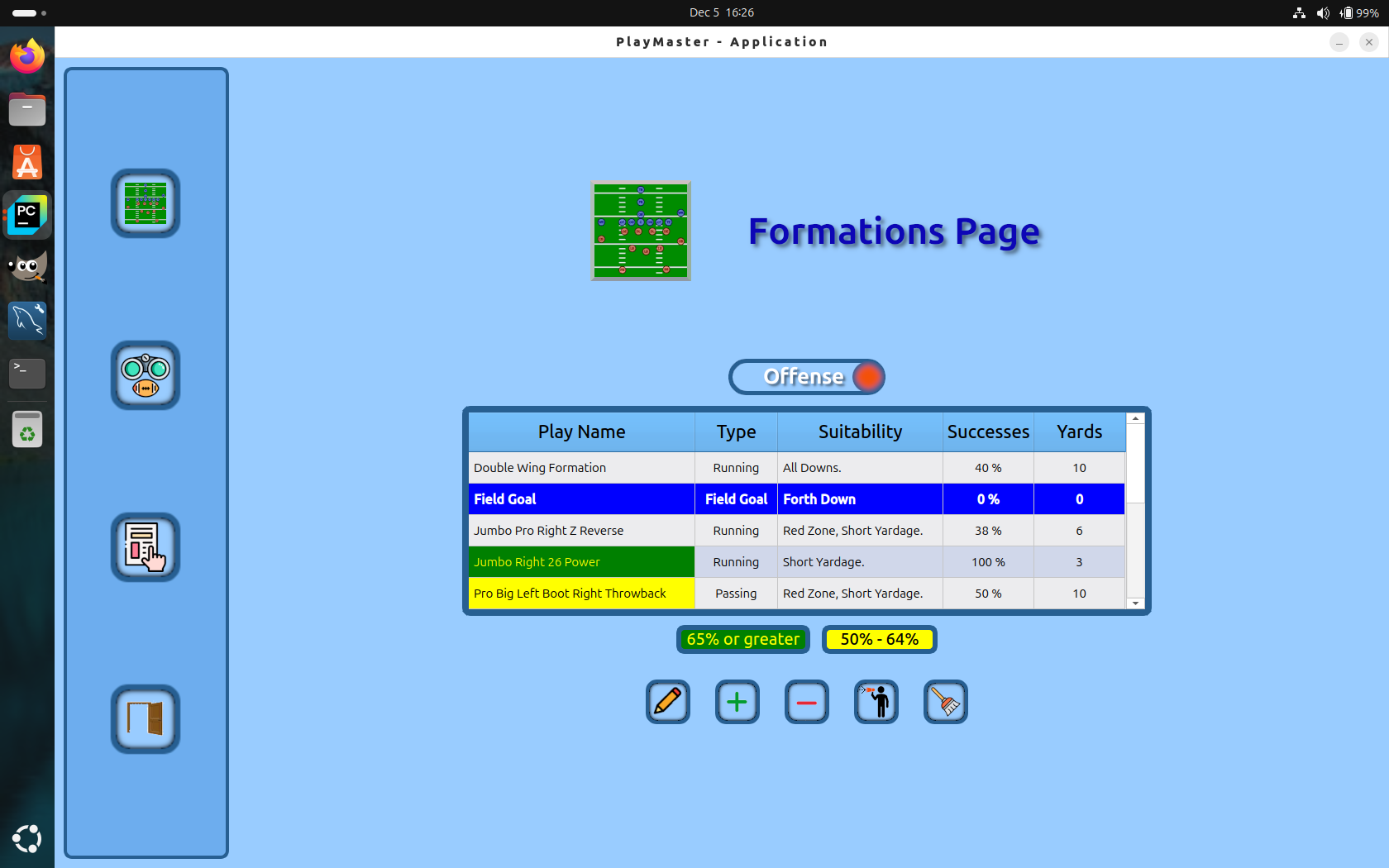
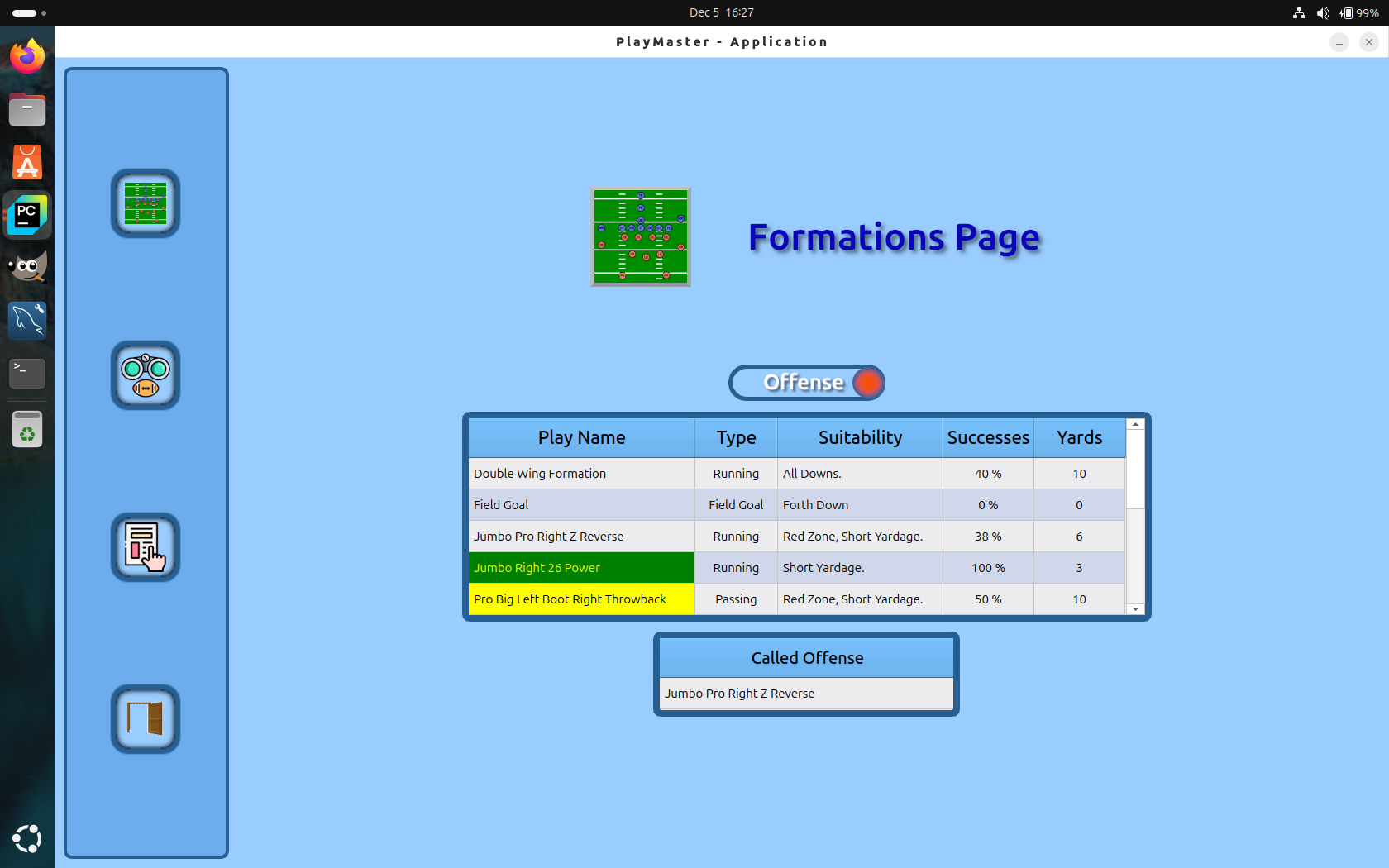
Here’s some screen shots of the above when using the basic grid layout …

I can share my code for this if one anyone wants but as they say a picture is worth a 1000 words and a heck of lot less typing !

Hi Martin

Well …

At this point I can definitely say I’m not much of a graphics type guy !

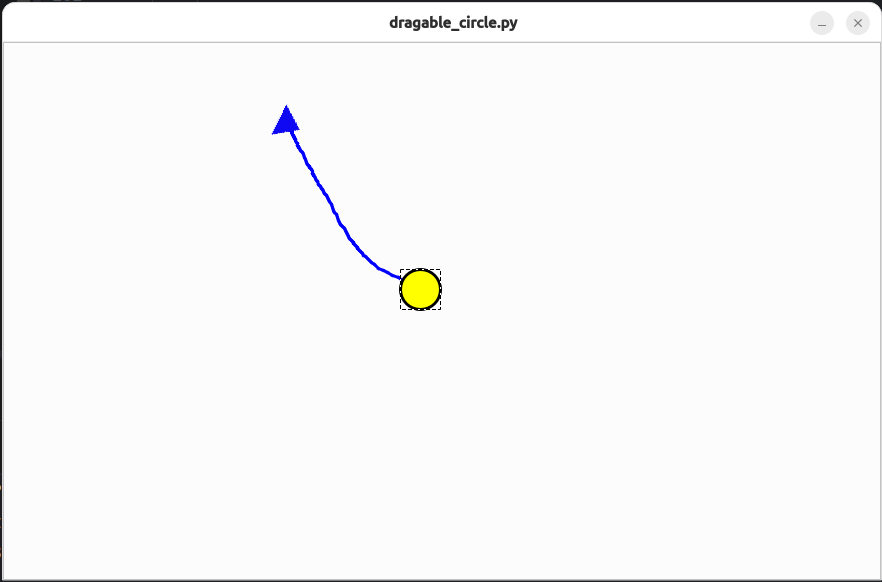
I’ve been playing around with the your code and have run into a different set of problems. I want to be able to drag a curved line not a straight one. I modified your code to extend the line as the circle is dragged and this works. When I complete dragging I want to add a triangle (image for now) to the end of line. The problems occur when attempting to figure the direction and angle of the line and set the triangle accordingly. There is some logic I’ve copied from online which I’ve added which returns the direction (Up, Down, Left, Right) and this is generally fine but setting the angle for the image just comes up wrong. I did find that you need to set the Transform Origin Point prior to calling the setRotation but it still doesn’t set the angle properly for me.

Code:

import math
import sys

from PyQt6.QtCore import QLineF, QRectF, Qt
from PyQt6.QtGui import QBrush, QPainter, QPen, QPixmap
from PyQt6.QtWidgets import (
    QApplication,
    QGraphicsEllipseItem,
    QGraphicsLineItem,
    QGraphicsScene,
    QGraphicsView, QGraphicsPixmapItem,
)


def determine_direction(start_pos, last_pos):

    direction_arr = [[]]

    # Vector Diffs

    dx = last_pos.x() - start_pos.x()
    dy = last_pos.y() - start_pos.y()

    if abs(dx) > abs(dy):
        if dx > 0:
            direction = "Right"
        else:
            direction = "Left"
    else:
        if dy > 0:
            direction = "Down"
        else:
            direction = "Up"

    direction_arr[0].append(direction)

    angle_rad = math.atan2(-dy, dx)

    angle_deg = math.degrees(angle_rad)

    if angle_deg < 0:
        angle_deg += 360

    direction_arr[0].append(angle_deg)

    print(direction_arr[0][0] + ": " + str(direction_arr[0][1]))


    return direction_arr


class DraggableCircle(QGraphicsEllipseItem):
    def __init__(self, radius=20, *args, **kwargs):
        super().__init__(*args, **kwargs)

        self.triangle = QGraphicsPixmapItem(QPixmap("./images/route_end.png"))

        # Draw the circle

        self.setRect(QRectF(-radius, -radius, radius * 2, radius * 2))

        # Make the item movable and selectable

        self.setFlag(QGraphicsEllipseItem.GraphicsItemFlag.ItemIsMovable)
        self.setFlag(QGraphicsEllipseItem.GraphicsItemFlag.ItemIsSelectable)

        # Simple styling

        self.setBrush(QBrush(Qt.GlobalColor.yellow))
        self.setPen(QPen(Qt.GlobalColor.black, 3))

        # For tracking the drag line. We'll create the line when
        # we start the drag, and store the origin.

        self._line_item = None
        self._line_origin = None
        self._last_point = None
        self._points_arr = []


    def mousePressEvent(self, event):

        if event.button() == Qt.MouseButton.LeftButton:

            # Store the origin of the drag in scene coordinates
            # We'll use the center of the circle at the moment the drag begins

            self._line_origin = self.sceneBoundingRect().center()

            # Create a new line starting and ending at the origin.

            if self.scene() is not None:

                line = QLineF(self._line_origin, self._line_origin)

                self._points_arr.append(self._line_origin)

                self._line_item = QGraphicsLineItem(line)

                # Put the line behind the circle

                self._line_item.setZValue(self.zValue() - 1)
                self.scene().addItem(self._line_item)

                self._last_point = self._line_origin


        # Let the base class handle the default behavior (moving the item)

        super().mousePressEvent(event)

    def mouseReleaseEvent(self, event):

        if event.button() == Qt.MouseButton.LeftButton:

            width = self.triangle.boundingRect().width()
            height = self.triangle.boundingRect().height()

            self.triangle.setPos(self._last_point.x() - width / 2,
                                 self._last_point.y() - height / 2)

            self.triangle.setTransformOriginPoint(self.triangle.boundingRect().center())

            if len(self._points_arr) > 100:
                start_point = self._points_arr[len(self._points_arr) - 40]
            elif len(self._points_arr) > 50:
                start_point = self._points_arr[len(self._points_arr) - 20]
            else:
                start_point = self._line_origin

            print("Line Length: " + str(len(self._points_arr)) + "Portion: " + str(start_point))
            self._points_arr.clear()

            rtn_arr = determine_direction(start_point, self._last_point)

            if len(rtn_arr) > 0:
                
                if len(rtn_arr[0]) > 1:

                    deg = rtn_arr[0][1]

                    self.triangle.setRotation(deg)

            if self.triangle.scene() is None:
                self.scene().addItem(self.triangle)

            self.setPos(self._line_origin)

    def mouseMoveEvent(self, event):

        # First let the base class move the item
        super().mouseMoveEvent(event)

        # Then update the line endpoint based on the new position

        if self._line_item is not None:

            current_center = self.sceneBoundingRect().center()

            # Extend Line from last point

            line = QLineF(self._last_point, current_center)

            self._points_arr.append(current_center)

            self._line_item = QGraphicsLineItem(line)

            pen = QPen(Qt.GlobalColor.blue, 3)

            self._line_item.setPen(pen)


            # Put the line behind the circle

            self._line_item.setZValue(self.zValue() - 1)

            self.scene().addItem(self._line_item)

            self._last_point = current_center


class GraphicsViewDemo(QGraphicsView):
    def __init__(self, parent=None):
        super().__init__(parent)

        # Create the scene.

        scene = QGraphicsScene(0, 0, 876, 536)


        # Create the movable circle and add it to the scene centered

        circle = DraggableCircle()

        circle.setPos(scene.width() / 2 - circle.boundingRect().width() / 2,
                      scene.height() / 2 - circle.boundingRect().height() / 2)


        scene.addItem(circle)

        self.setScene(scene)

        # Enable antialiasing for smoother edges on the shapes/lines.
        self.setRenderHint(QPainter.RenderHint.Antialiasing)


app = QApplication(sys.argv)
view = GraphicsViewDemo()
view.show()
app.exec()


Screen: