I ran into this issue a year ago and applied a quick fix then but now its reappeared in my latest endeavor and I’m hoping to resolve this.
What’s Happening:
I have QVBoxLayout on my main content page which serves as my base to content I display dynamically (via a recursive clear function). To center content both vertically and horizontally on this page I use a QGridLayout to display various page elements (title, body, buttons) and this works pretty well for me. Sometimes I clear the entire page and sometimes I change only the buttons depending on which content button is clicked.
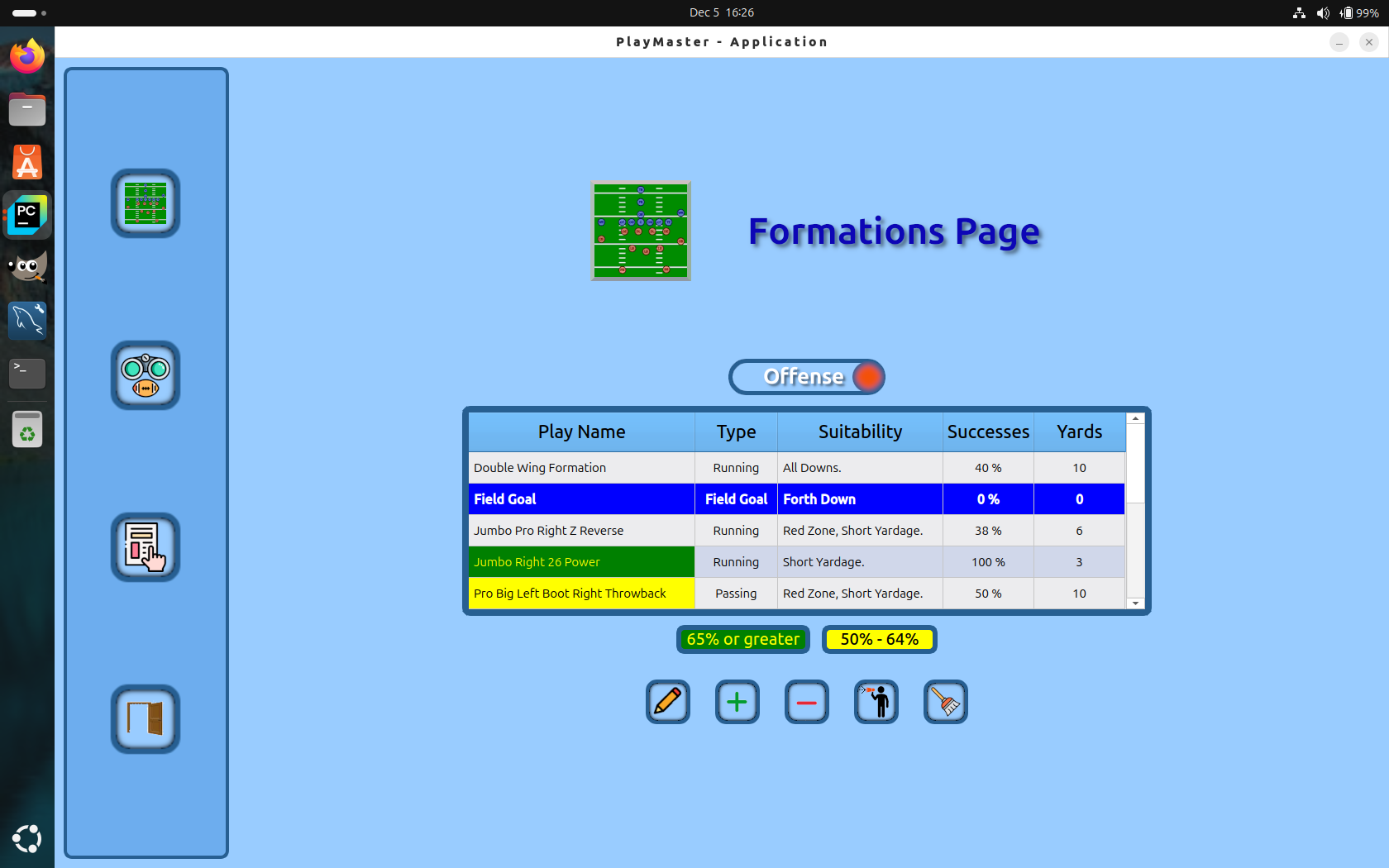
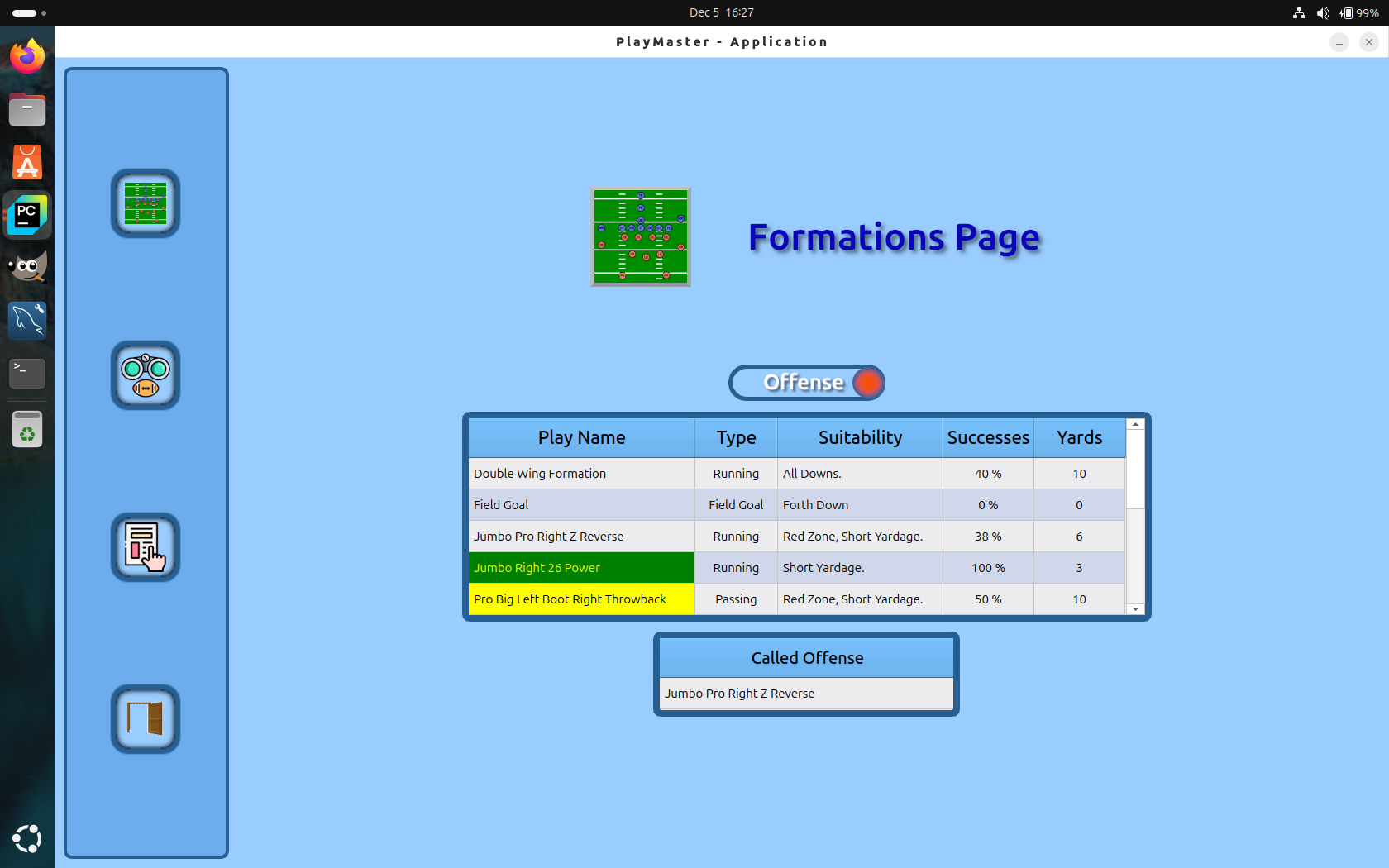
My problem happens when I want to change only a row within the grid as in the above. When I select a row in the top table I want to delete the row with called plays. I can do this by looping through the grid cells while checking the cells contents for a widget named Called_Plays which is my QTablewidget in the bottom image. When I delete this widget it does in fact delete but the row where it previously resided does not resize. Even if I manually update the grid by self.content_grid.update().
Any help or suggestions on this is greatly appreciated. One thing I was going to try is simply add new content to that row after the delete and carry on but failing that I can clear the page and rebuild the grid from scratch but that’s allot of work just to remove the table and redisplay buttons.